

 Free Minecraft Server


Upload a .schem through your panel, install WorldEdit or FAWE, and paste a spawn without lagging the server. Folder paths, commands, permissions and the errors that stop most first attempts.
How to Install a Ready-Made Build on Your Minecraft Server: Complete Guide
A custom spawn takes weeks to build by hand. Most server owners skip that and paste in a finished build instead - a hub, an arena, a shop district, a whole medieval town.
The paste is one command. The problems sit around it: the file goes in the wrong folder, permissions are missing, the server freezes for forty seconds, or the build arrives full of holes because it was saved in a newer version. This guide covers the whole sequence in the order you'll do it.
Step 1: Pick a file your server can read
Two formats work server-side.
.schem is the current Sponge Schematic format, standard since Minecraft 1.13. It stores every block state correctly - stair rotations, slab halves, waterlogging.
.schematic is the old pre-1.13 format. It still loads, but it uses numeric block IDs from before the Flattening, so anything added in recent years arrives as stone or air.
Skip .litematic files. That format belongs to the Litematica mod and is meant for client-side survival building; WorldEdit won't open it.
Check the game version too. A build saved in 1.21 and pasted into a 1.19 world comes in with gaps wherever a newer block should be. Formats convert; missing blocks don't. Catalogs that tag builds by version and format save the guesswork - the worldedit schematics section on MCBuild lists both for every build, so you can match what your server runs before downloading.
Step 2: Install WorldEdit or FAWE
On Paper, Spigot and Purpur, WorldEdit is a plugin. Download the .jar, open the file manager in your panel, and
upload it into the plugins folder. Then restart the server. A /reload won't register a
new plugin properly, and that alone explains a good share of "WorldEdit isn't working" tickets.
FastAsyncWorldEdit (FAWE) is the better pick for a live server. Same commands, but operations run off the main thread. On an empty creative world the difference doesn't matter. With players online, it's the gap between a two-second pause and a timeout that drops everyone. Anything over a few hundred thousand blocks: use FAWE.
Permissions come next. Console and full operators have them automatically. To give a builder role access through
LuckPerms, the node is worldedit.*, or worldedit.clipboard.* plus
worldedit.schematic.* for a narrower grant.
Step 3: Upload the schematic to the right folder
The .schem file does not go next to the .jar. It goes in the plugin's own schematics directory, created on first startup after the plugin loads.
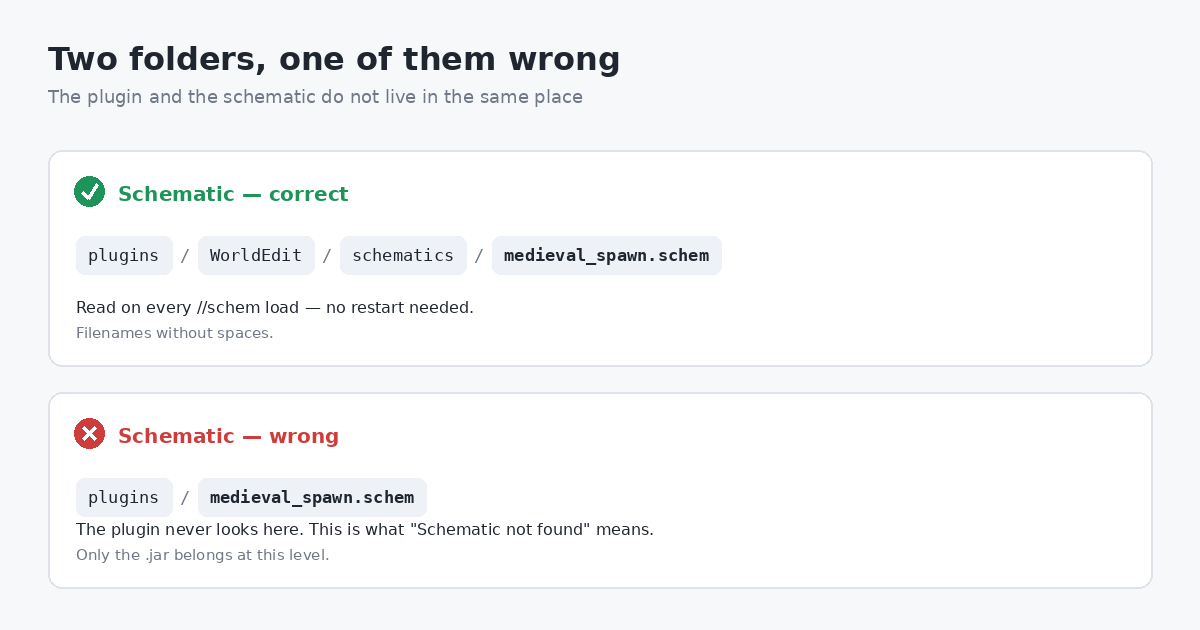
Name files without spaces: medieval_spawn.schem works, medieval spawn (v2).schem fights
the command parser. No restart is needed after adding a schematic - the folder is read on every load command.
Step 4: Back up first
//undo works, but it lives in your session. If the server restarts, crashes, or you disconnect
between the paste and the undo, the history is gone and the blocks stay where they landed.
Run a backup from the panel before pasting anything near an area you care about. One minute of work, and a bad paste over your existing spawn becomes an inconvenience instead of a rebuild.
Step 5: Load and paste
Position first. The paste origin is wherever the build's creator stood when they copied it - a corner, the centre, sometimes neither. Paste into open ground away from anything important, see where the build lands relative to you, then decide on the final spot.
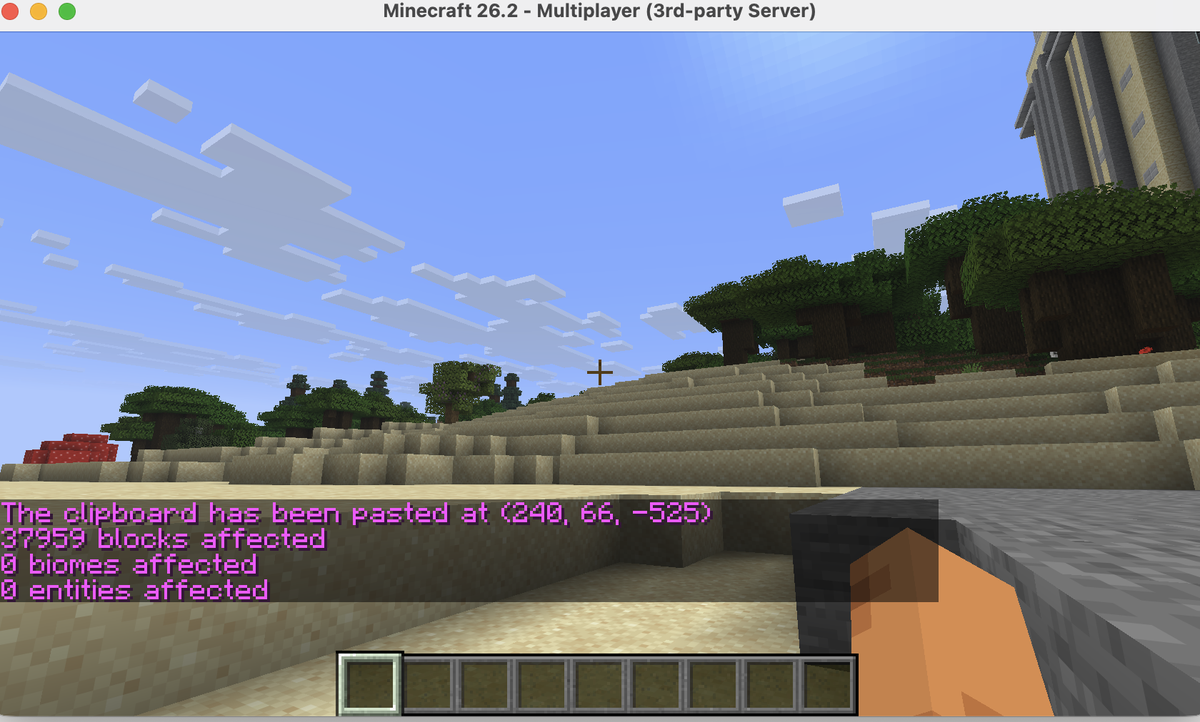
The commands:
//schem load medieval_spawn- loads into your clipboard, no file extension.//paste -a- pastes and skips air blocks, so the build doesn't cut a rectangular hole through your terrain. The flag you want most of the time.//paste -o- pastes at the coordinates the build was saved with, ignoring your position. For restoring something onto the same map.//rotate 90- rotates the clipboard. Paste again afterwards; rotation applies to the clipboard, not to blocks already placed.//flip- mirrors the build, for a matching pair of structures.//undo- reverses the last operation, repeatable to step further back.
On large builds, //fast skips physics and lighting updates during the operation. The paste finishes
far quicker and the lighting may look wrong until chunks reload. FAWE handles most of this automatically.
Step 6: Check the result
Lighting. Black patches after //fast or a big interior are normal. Walking through
usually re-lights the chunks; if not, trigger a light update from the panel or restart.
Protection. Paste first, define the claim or region second. In the other order the protection plugin blocks your own paste, and the error rarely says so clearly.
Blocks with data. Chests, signs, item frames and spawners are stored as block entities, and whether they survive depends on how the build was saved. Open a few chests and read a couple of signs before announcing the new spawn.
Errors and what they mean
- "Schematic not found" - wrong folder, or a hidden extension. Windows saves
spawn.schem.txtsilently; the panel's file manager shows the real name. - "You do not have permission" - missing operator status or permission node. Test from the console, where permissions don't apply.
- "Max blocks changed in an operation" - a configured limit. Raise it with
//limit -1if you hold the node, or edit WorldEdit's config and restart. - Command runs, nothing appears - a protection plugin blocking the region, or
-osent the build to coordinates far from you. - Purple-black blocks or gaps - the schematic is from a newer version than the server. Only a matching file fixes it.
- Server freezes mid-paste - too many blocks on the main thread. Switch to FAWE or paste in sections during off-hours.
Quick recap
Plugin .jar into plugins/, restart, schematic into plugins/WorldEdit/schematics/, back
up, //schem load, //paste -a. Match the game version before downloading, run FAWE when
players are online, and set protection regions after the build is in place. The pasting is the easy part; the five
minutes of preparation are what keep it from going wrong.
Reading about servers is fine. Running one is better.
Every guide on this blog was written against a real free AxentHost server. Claim fifteen credits and follow along on your own.