

 Free Minecraft Server


How to get your Don't Starve Together server token
Generate a Don't Starve Together server token using your account on Klei. Create a server and copy your token to your server settings.
Follow the next steps to be able to get your Server Token and start playing
- Register to Klei to be able to create your Server Token.
-
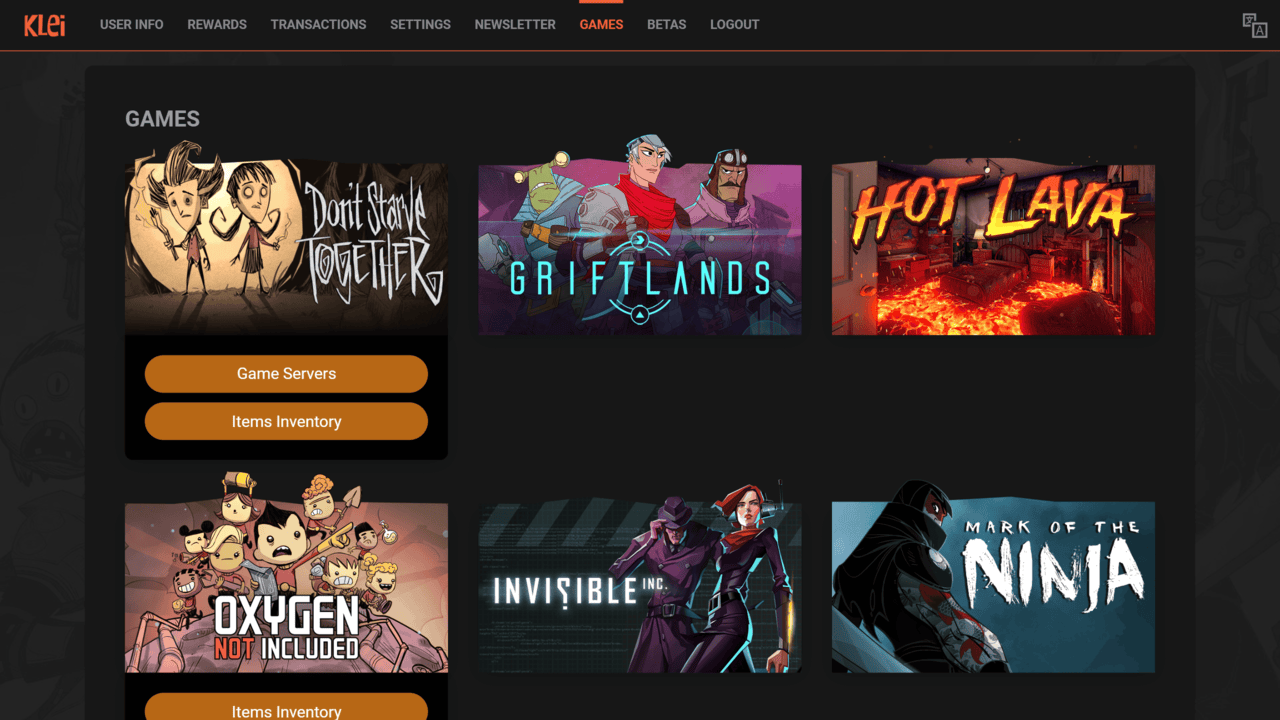
Navigate to the "Games" tab and click on "Game Servers" for Don't Starve Together
-
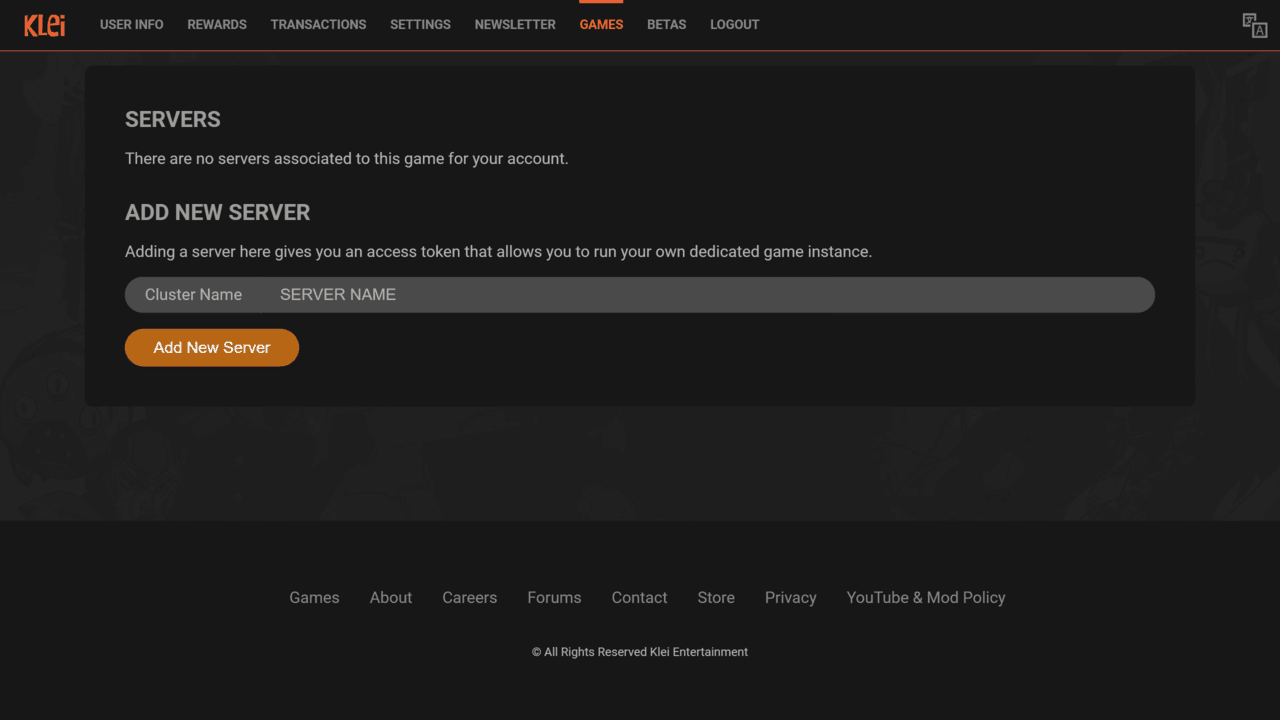
Choose your server name and create it by clicking "Add New Server"
-
You have now found your server Token, starting with "pds-"
- Copy this Token and paste it in your server "Settings" page on AxentHost.
You have now successfully generated your Don't Starve Together Server Token. You can now set this token in your server settings to be able to join your Don't Starve Together server.
Reading is fine. Running one is better.
Every guide here was written against a real free AxentHost server. Claim fifteen credits and follow along on your own.