

 7-days-to-die
 abiotic-factor
 assetto-corsa
 axenthost
 beamng
 core-keeper
 dayz
dayz
 dont-starve-together
 factorio
 foundry
 gmod
gmod
 left-4-dead-2
 mindustry
 minecraft
 necesse
 palworld
 project-zomboid
 rimworld-together
 risk-of-rain-2
 rust
rust
 satisfactory
 scp
scp
 sons-of-the-forest
 space-station-14
 stardew-valley
 terraria
 terratech-worlds
 tf2
tf2
 trackmania
 unturned
 v-rising
 valheim
 vintage-story
Joining a Hytale server requires just a few steps. You will first need to launch your server on AxentHost and then use the links from the server console to make your server download Hytale and to authenticate yourself.
Authenticate yourself
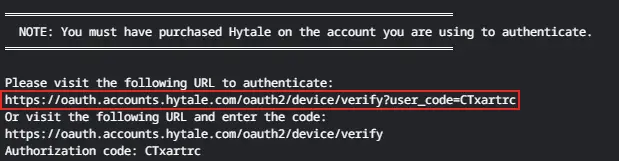
Once you have created and activated your own Hytale server, navigate to its console tab. You should be asked to authenticate by clicking the following link :
You will be redirected to a page where you will need to authenticate :
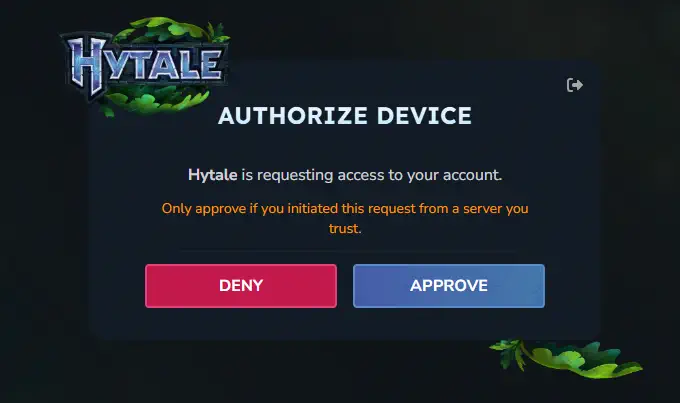
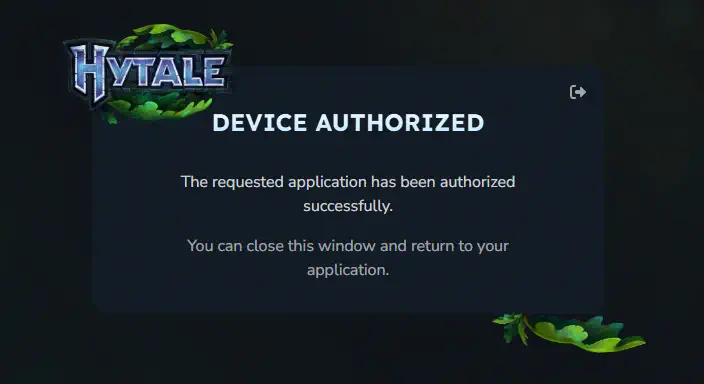
Once authenticated, it proves you have bought the game. The server will be able to download it on its side.
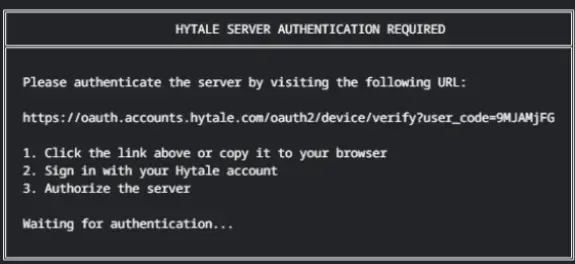
Finally, you will be able to join your server once you've clicked the last link provided by the console. It will just require you to sign in to your Hytale account on the hytale website :
Join your server
Now that your server is ready, you can join it by following these steps :
- Launch Hytale
- Click Multiplayer
- Click "Add server"
- Input any name and paste your server address (find it in your server "manage" page) and double click on your server to join it !