


Minecraft Server Hosting
Starting at 5.99€/month
Host your own Minecraft Server with AxentHost. Enjoy fast, reliable and high performance hardware. Setup and customize your server in no time and start playing with your friends or community.
Customize Your Server
Check what your Minecraft server will cost with our flexible pricing calculator
RAM
Disk Space
Additional Ports
No setup fees • Premium Hardware • 24/7 support
HARDWARE SPECS
Up to AMD Ryzen 9 9900X - Max 5.60 GHz
NVMe SSDs for fast loading
DDR5 for heavy server loads
1 Gbps for low latency gameplay
DDoS protection to protect your server
Unlimited free trial - no credit card
Try before you commit, as long as you want.
Not ready to go for monthly hosting yet ? AxentHost offers a completely free trial with no time limit. It runs on the exact same Ryzen NVMe hardware as the paid plans, so what you test is what you get. Upgrade to a dedicated plan whenever you're ready, and your world and progress come with you.
- No time limit: the free tier never expires, use it as long as you like.
- Same hardware: Ryzen NVMe servers, identical to what the paid plans run on.
- Up to 16 GB RAM: scale your trial server up to 16 GB as your group grows.
Control Panel Overview
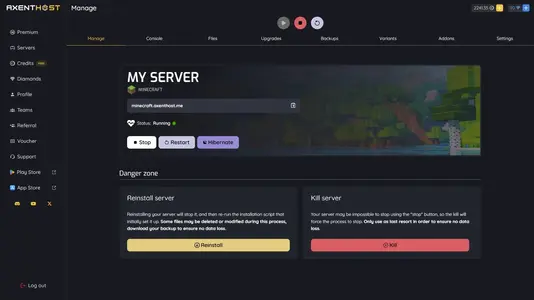
Control Panel
Our intuitive and efficient control panel gives the best features possible with a dark mode interface. Use the website to start your server or perform any actions on it.
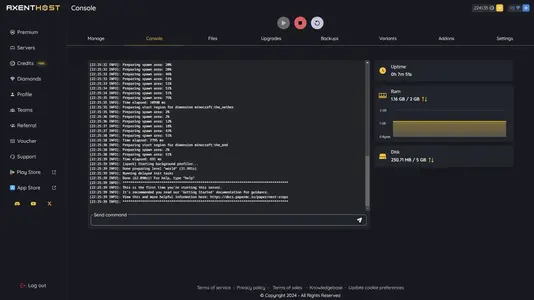
Console
Manage your server and send commands through the web console. Helpful to make adjustments and manage the current players.
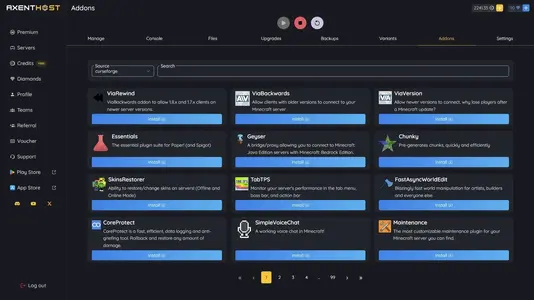
Mods Installer
Install and manage your plugins and mods to add additional content. Get new features such as new mobs or new recipes to the game with Forge, Paper and more.
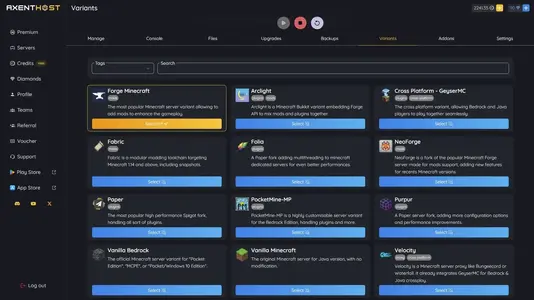
Variants
Choose your variant depending on your needs. From crossplay with Bedrock, mods with Forge and plugins with Paper, to a Proxy server with Velocity.
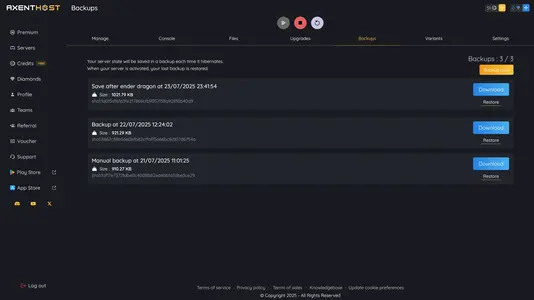
Backups
Backups are automatically created everytime you stop your server. You can also create manual backups and restore at any time to ensure no data loss.
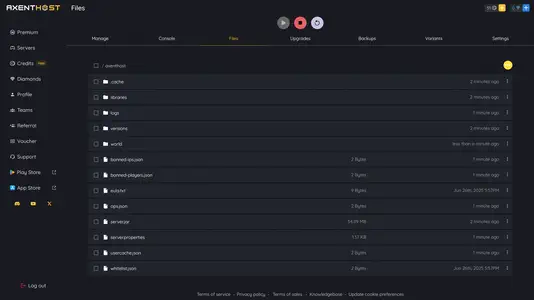
File Manager
Manage your server files with our file manager. It is robust and allows to download, upload and delete files, folders and more.
 Vanilla
 Paper
Paper Purpur
 Folia
Folia Forge
Forge NeoForge
 Fabric
 Bedrock
 PocketMine
 GeyserMC
 Arclight
All our Minecraft Server Types & Variants
AxentHost supports both Java and Bedrock Edition with automatic updates to keep all server versions up to date.
You can switch from a simple Minecraft Server to any variant in one click. All the most useful and popular Java variants like Paper, Forge, and Fabric are available. But also Bedrock servers like Bedrock Dedicated Server and PocketMine-MP.
We also provide full support for modded Minecraft server hosting with variants such as Forge, Neoforge, or even Arclight. Crossplay is also possible between Java and Bedrock with the GeyserMC variant.
One-Click Mods & Plugins Installer
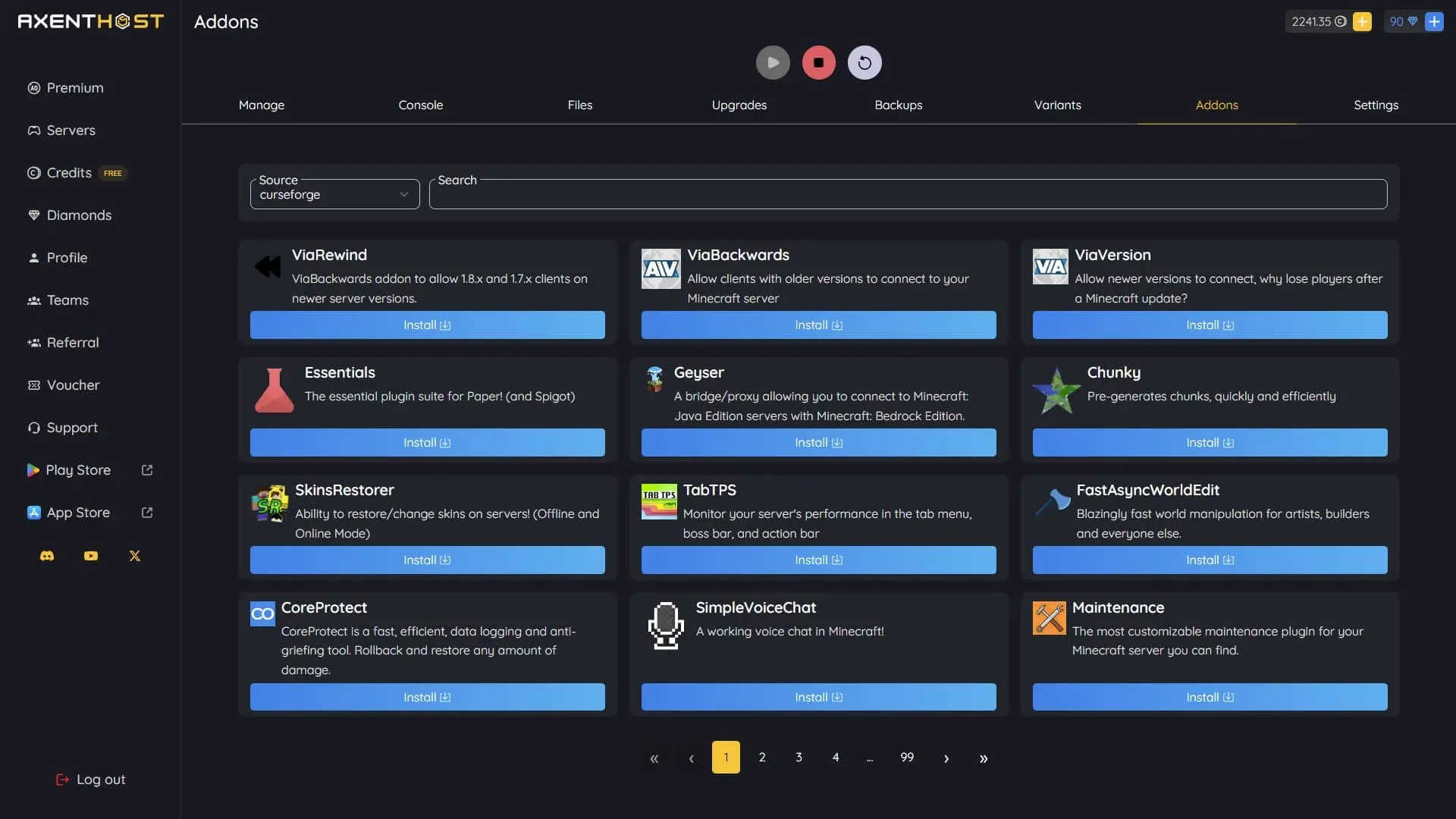
Browse and install hundreds of popular plugins and mods directly from your control panel. Our built-in Addons Installer gives you instant access to CurseForge and other trusted sources.
Simply search, browse, and click install. No need to download files, upload to your server, or configure anything manually. Everything is handled automatically with one click.
You can add performance plugins like Chunky, management tools like Essentials, version compatibility with ViaVersion, or cross-platform support with Geyser, it's all available instantly.
Compatible with all server variants including Paper, Forge, Fabric, and more. Keep your server updated and enhanced without the hassle.
Join the growing players community
Join the growing community of more than 1M passionate players helping, playing and discussing with each other.
Love the fact that on this hosting service, when our server is activated we have full access to the file system for our game, allowing us to add and remove at our own discretion. They also allow you to adjust the disk size and ram capacity, which is something other particular free hosts don't enable.

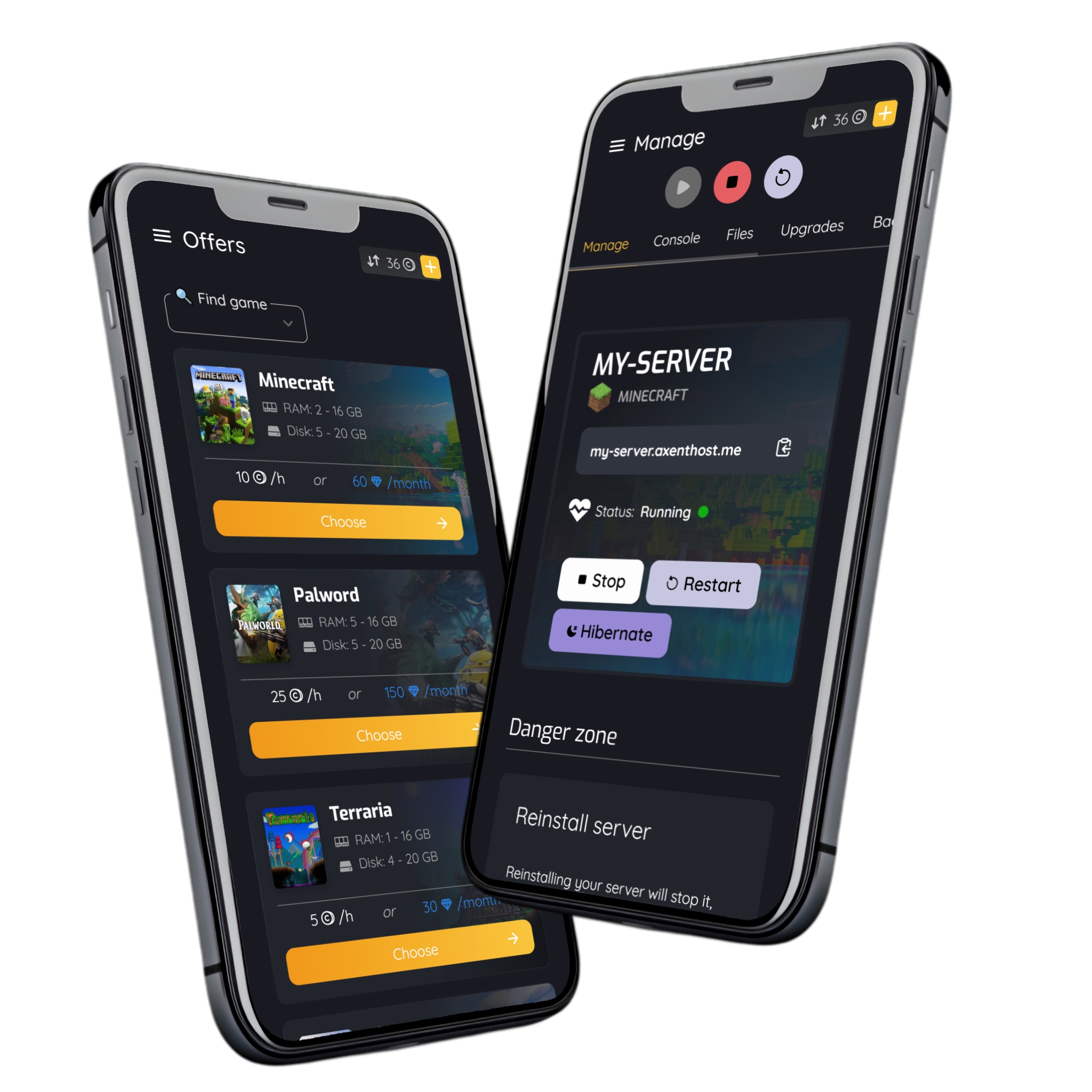
AxentHost Application is available on mobile
Try AxentHost and get even more credits for your hosting on both Android and iOS.
Get access to new features and manage your server from your pocket.


Frequently Asked Questions
Read our knowledgebase
Find answers to common questions and get help with your Minecraft server. If you can't find the answer you're looking for, contact our support team or visit the Minecraft Knowledgebase.
Knowledgebase