So, how long is a day in Minecraft ? As a short answer, a complete Minecraft day lasts exactly 20 real-time minutes. This cycle is divided into four distinct phases: daytime, sunset (dusk), nighttime, and sunrise (dawn).
You need to understand the day-night cycle to plan your activities. It's better to build and explore during the day, while it's safer to stay indoors at night. Your first goal is to make a base before the first night to be protected from mobs.
How long is a full Minecraft day?
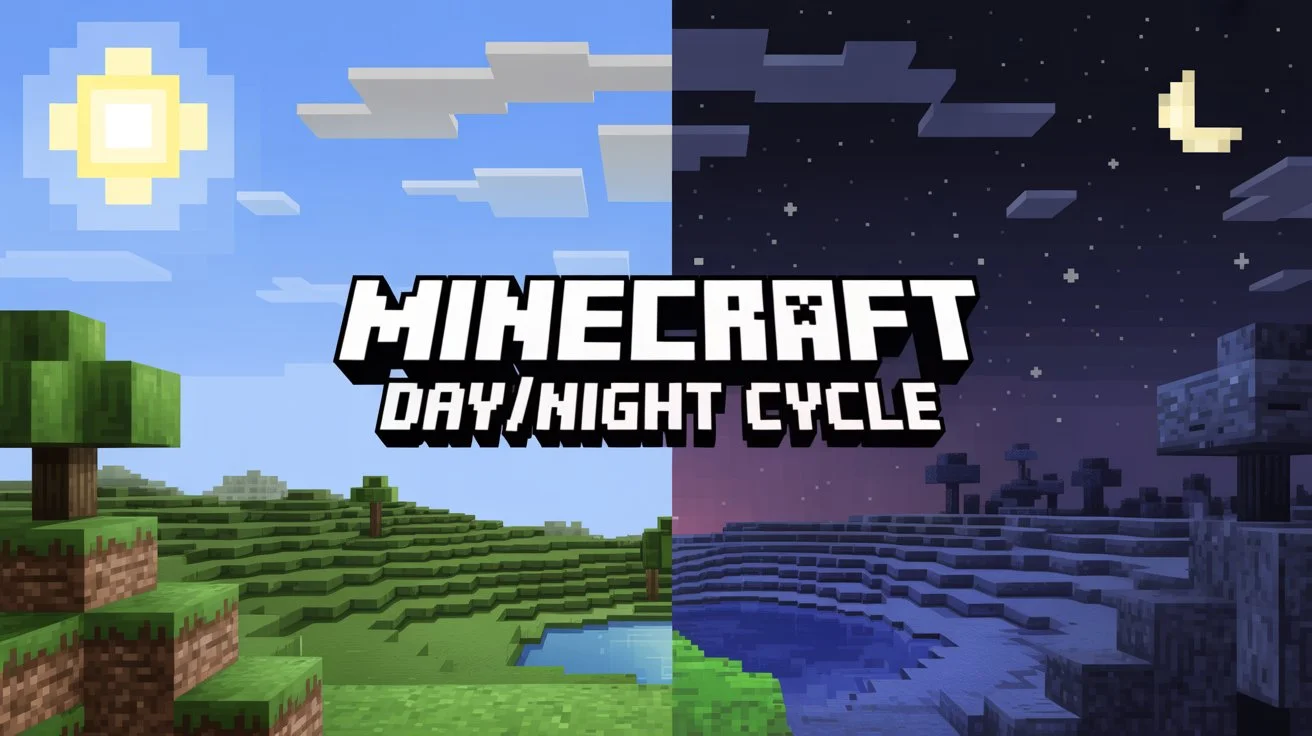
A complete Minecraft day lasts exactly 20 real-time minutes. The game's internal clock operates differently from real-world time. Every four real-world seconds equals one in-game minute. This accelerated time system allows players to play different day-night cycles in a single gaming session.
This 20-minute cycle remains consistent across all game modes, including Survival Mode, Creative Mode, and multiplayer servers. The cycle duration does not change, though its impact on gameplay varies depending on the mode you're playing.
The day-night cycle breakdown
The Minecraft day-night cycle consists of four distinct phases, each with its own duration and gameplay implications:
Daytime (10 minutes)
Daytime runs from tick 0 to tick 12,000 and lasts for 10 real-time minutes. This phase represents the safest period to explore and build.
During daytime, hostile mobs like zombies and skeletons burn when they are exposed to sunlight. That's why it's the ideal time to explore, get wood or any outside resource, and build structures. Villagers go about their daily routines, and players can focus on their projects without constant interruptions from hostile mobs.
The sun reaches its peak at tick 6,000, which corresponds to noon in Minecraft time. This is when players receive maximum light and experience the safest conditions for outdoor activities.
Sunset / Dusk (about 1.5 minutes)
Sunset begins at tick 12,000 and ends at tick 13,000, lasting approximately 1.5 minutes. The sky transitions to an orange hue as the sun sets, signaling the approach of nighttime.
During dusk, monsters are preparing to spawn. They won't spawn in sunlight yet, but dark areas become increasingly dangerous. You should consider coming back to your base or finding a safe location to wait out the night.
Nighttime (7 minutes)
Nighttime runs from tick 13,000 to tick 23,000 and lasts for 7 real-time minutes. This phase is the most dangerous period in the cycle.
Monsters spawn in dark areas during the night. You will encounter zombies, skeletons, spiders, creepers, and other dangerous creatures. Villagers retreat indoors for safety, and during a zombie siege, doors may get knocked down, so be prepared.
If you haven't slept for three or more in-game days, phantoms will begin attacking. They are flying mobs only appearing at night and can be particularly hard to deal with when trying to build or explore.
Midnight is at tick 18,000, and it's the darkest point of the night. This is when mob spawning reaches its peak, so it's the most dangerous time to be outside.
Sunrise / Dawn (about 1.5 minutes)
Sunrise starts at tick 23,000 and ends at tick 0 (or 24,000), lasting approximately 1.5 minutes. As the sun rises, hostile mobs begin burning and despawning, making it safe to venture out again.
The sky gradually brightens, and once dawn ends, players return to full daytime conditions. This marks the safe period to leave shelters and resume activities.
Minecraft time system
Minecraft uses a tick-based time system. The game runs at 20 ticks per second, which equals 1,200 ticks per minute. A full day cycle contains 24,000 ticks total, meaning it lasts 20 IRL minutes.
The following timeline shows how in-game time corresponds to IRL time:
- 0 ticks / 6:00 AM : Day begins, sun rises
- 6,000 ticks / 12:00 PM : Noon, sun directly overhead
- 12,000 ticks / 6:00 PM : Sunset begins, dusk starts
- 13,000 ticks / 7:00 PM : Night begins, mobs start spawning
- 18,000 ticks / 12:00 AM : Midnight, darkest point
- 23,000 ticks / 5:00 AM : Sunrise begins, dawn approaches
- 24,000 ticks / 6:00 AM : New day begins, cycle resets
How to change the time of day
Players may want to control the time of day for various reasons, such as needing more daylight for building or testing base defenses against mobs. There are several methods to change the time in Minecraft.
Using commands
If cheats are enabled, players can use time commands to jump to specific times:
/time set day: Sets time to 1,000 ticks (early morning)/time set noon: Sets time to 6,000 ticks (midday)/time set night: Sets time to 13,000 ticks (night begins)/time set midnight: Sets time to 18,000 ticks (darkest point)/time add [number]: Adds ticks to the current time
Players can also set a specific tick value directly. For example, /time set 0 sets the time to the
beginning of a new day.
Using a bed
The easiest way to skip the night is to sleep in a bed. When you sleep, time skips to the next sunrise, effectively skipping the entire night phase. This is really useful in Survival Mode when you want to avoid dealing with hostile mobs and just deal with your own stuff.
You can only sleep at night, and the bed must not be obstructed. Additionally, if there are hostile mobs nearby, you won't be able to sleep until you deal with them.
Disabling the day-night cycle
To pause the day-night cycle completely, you can use the following command:
/gamerule doDaylightCycle false
This freezes the current time and stops the natural day-night transition. This is ideal for builders who want endless daylight, or you who want to test things in permanent night conditions.
To re-enable the cycle, use /gamerule doDaylightCycle true.
Minecraft years
Unlike real-world years, a Minecraft year doesn't have a fixed duration in the game. The game doesn't track years the same way it tracks days.
Some mods and server plugins add seasonal changes or year tracking, but in vanilla Minecraft, there's no official year system. The day-night cycle is the primary time mechanic you will use.
Tips for managing time in Minecraft
Here are some practical tips to optimize gameplay during the day-night cycle:
- Plan your activities: Use daytime for exploration and building, save mining and indoor projects for night.
- Build farms near your base: Having food sources close by means you don't waste time traveling back and forth.
- Use torches and lighting: Light up areas around your base to prevent mob spawning during the night.
- Keep a bed handy: Always have a bed set up so you can skip nights when needed.
- Track time with a clock: Craft a clock to always know what time it is in-game.
- Prepare for night: Before sunset, make sure you have food, weapons, and a safe place to retreat to.
Day-night cycle in different game modes
The day/night cycle timing stays the same across all game modes, but its impact on gameplay varies:
Survival Mode
In Survival Mode, the full 20-minute cycle is crucial. You must manage your time carefully, gathering resources during the day and either fighting or hiding at night. Hunger depletes over time, requiring players to balance exploration with food gathering, or just go out with a lot of food.
Creative Mode
In Creative Mode, the cycle still runs for 20 minutes, but it has less impact since you can't die and mobs won't attack. Players focused on building may not even notice time passing. Some players disable the cycle entirely in Creative Mode to have consistent lighting conditions.
Hardcore Mode
Hardcore Mode uses the same 20-minute cycle, but every night feels more intense since death is permanent. Players need to be extra careful and ensure they're well-prepared before night falls.
Common questions about Minecraft days
Can you make days longer or shorter?
In vanilla Minecraft, you cannot change the day cycle length directly. However, you can pause it using
/gamerule doDaylightCycle false, or manually advance time with commands. Some mods allow you to
customize day length for more control.
Does weather affect the day/night cycle?
Weather doesn't change how long the cycle lasts, but it can affect visibility and gameplay. Rain and thunderstorms make it harder to see, and thunderstorms can still spawn hostile mobs even if you have slept, which is important to remember.
How do I track time without a clock?
You can watch the sun and moon positions to track time. The sun rises in the east and sets in the west, just like in real life. You can also observe when mobs start spawning (when the night begins) or when they start burning (when the day begins).
Conclusion
So in conclusion, how long is a day in Minecraft ? A Minecraft day lasts exactly 20 IRL (in real life) minutes (10 minutes of daytime, 7 minutes of nighttime, and approximately 1.5 minutes each for dusk and dawn). Understanding this cycle helps you plan activities, manage your resources more effectively, and stay safe from hostile mobs.
It doesn't matter if you are building massive structures, exploring new biomes, or trying to survive, knowing when it's safe to venture out and when to find shelter makes a significant difference. Don't forget to set up beds to skip nights when needed. Also, lighting up bases to prevent mob spawning, and keeping track of time are essential strategies for successful gameplay.
If you want to test different time settings or play with friends, you can consider setting up a Minecraft server where you can control the day-night cycle and customize your gameplay experience. With proper server management, you can create the perfect environment for your multiplayer game with your friends.